
When people hear Augmentative and Alternative Communication (AAC) devices, they often associate them with specialised and costly tools. But as SPD’s assistive technology specialist Mariam Mohd shows us, they can also live right in our pockets.
In this first of our two-part series for October’s AAC Awareness Month, we explore how common devices like smartphones, tablets and computers can become powerful communication tools, often at little to no extra cost.
What is AAC?
AAC refers to any method of communication that supplements or replaces speech. It can range from simple gestures and picture boards to advanced devices and apps that generate speech.
AAC is essential for individuals with complex communication needs (CCN) such as those with cerebral palsy, autism, stroke, or developmental disabilities. For these individuals, AAC opens doors to expressing thoughts, making choices, building relationships, and participating in school, work, and community life.
Increasingly, AAC doesn’t always require expensive equipment. With advances in technology, mainstream devices such as smartphones and tablets that many of us use every day can also become powerful and accessible platforms for communication, even for persons with complex needs.
Using accessibility features in smart devices as AAC
Mainstream devices come with in-built accessibility features designed to support users with physical, sensory, cognitive, and communication needs.
What is encouraging is that accessibility is now a core focus for leading technology companies such as Apple, Google, and Microsoft. They are investing in research and collaborating with disability communities to make their platforms more inclusive than ever.
The built-in features can be combined to recreate many functions of traditional AAC systems – offering flexible, customisable, and socially integrated communication options.
Here are a few examples of how they work:
- Speak Screen and Live Speech convert written text into spoken output, enabling expressive communication.
Mariam demonstrating food ordering from a menu using Live Speech.
- Text Replacement speeds up communication by turning short codes into full phrases.
- AssistiveTouch allows users with limited motor control to navigate their device with only simple taps and custom gestures.
- Guided Access helps users stay focused by limiting device use to a single app.
Together, these features form a flexible, multimodal communication toolkit—one that is already in the hands of millions, ready to be activated and personalised.
Val’s Story
To see how these features play out in real life, meet Val, a bright and witty young woman with cerebral palsy who recently completed her International Baccalaureate (IB) programme—with some help from her iPad.
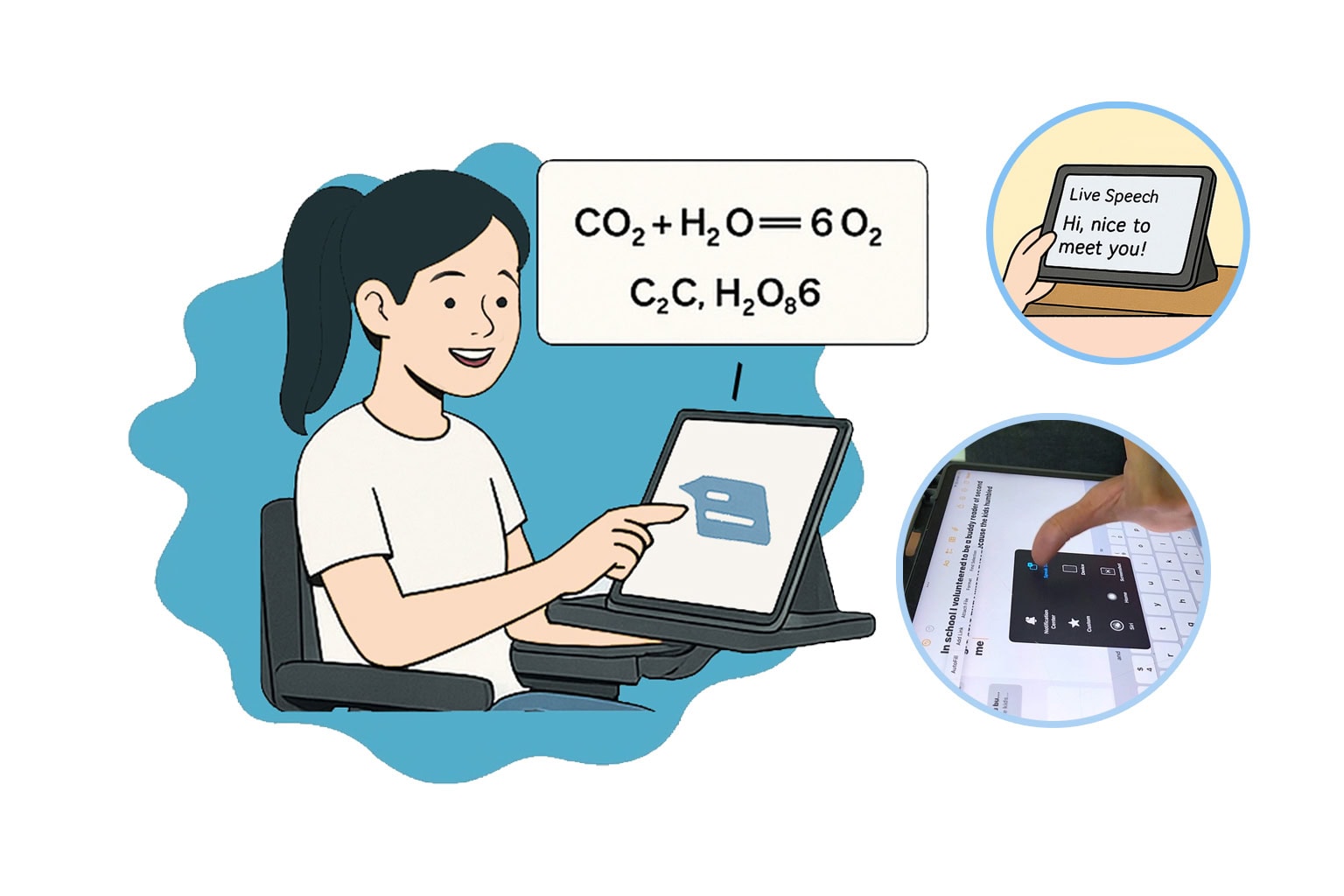
Val’s natural speech is clear to those close to her, but communicating with unfamiliar people can be challenging. To bridge the gap, Val uses the Speak Screen and Live Speech features found in her iPad to read out the text on her screen or speak what she types.
She started off this interview with, “Hi, I’m Val. I use AAC. It’s cool. So, yea…”. Her message – and personality – came through perfectly.
As Val lacks upper limb movement and muscle control, typing takes longer. Hence, to save time, she uses Text Replacement to create shortcuts for longer academic phrases and notations. For instance, by typing just “eq” on her keyboard, she can instantly generate a string of chemistry symbols:
“CO2 + H2O ⇌ 6O2 + C6H2 + O6”
It may not be a balanced equation yet, but it gives her a quick starting point she can modify accordingly, which saves her time during exams.
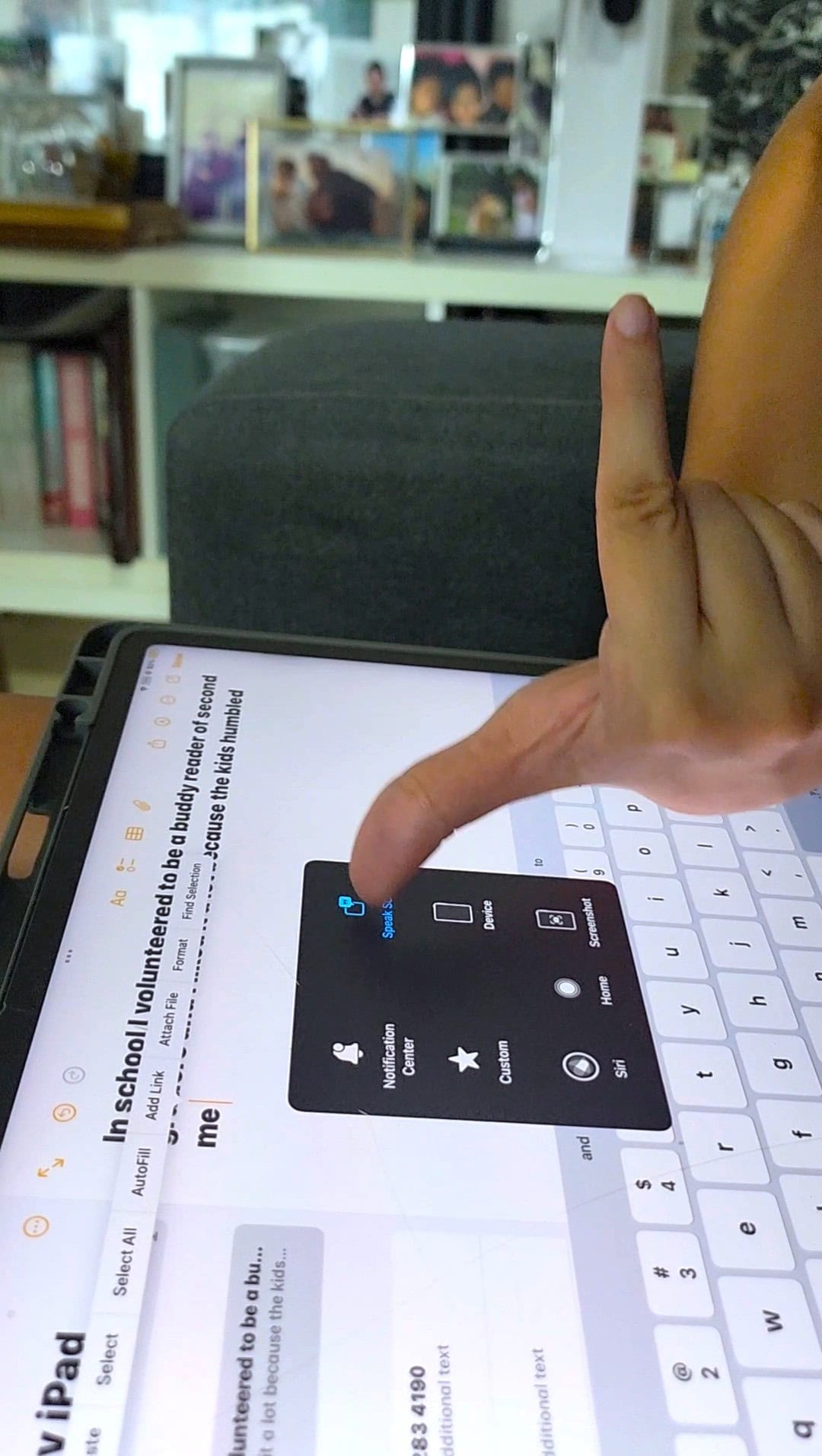
Navigation is also customised to her needs. With AssistiveTouch, she replaced complex gestures with simple on-screen commands, such as activating Live Speech with a long press on her on-screen AssistiveTouch button instead of physically reaching for her iPad’s side button.
Val’s story is a powerful reminder that accessibility is not just about overcoming barriers, it is about unlocking potential.
—————————————–
In the next instalment, Mariam shares how these accessibility features can benefit everyone, not just those with disabilities.